
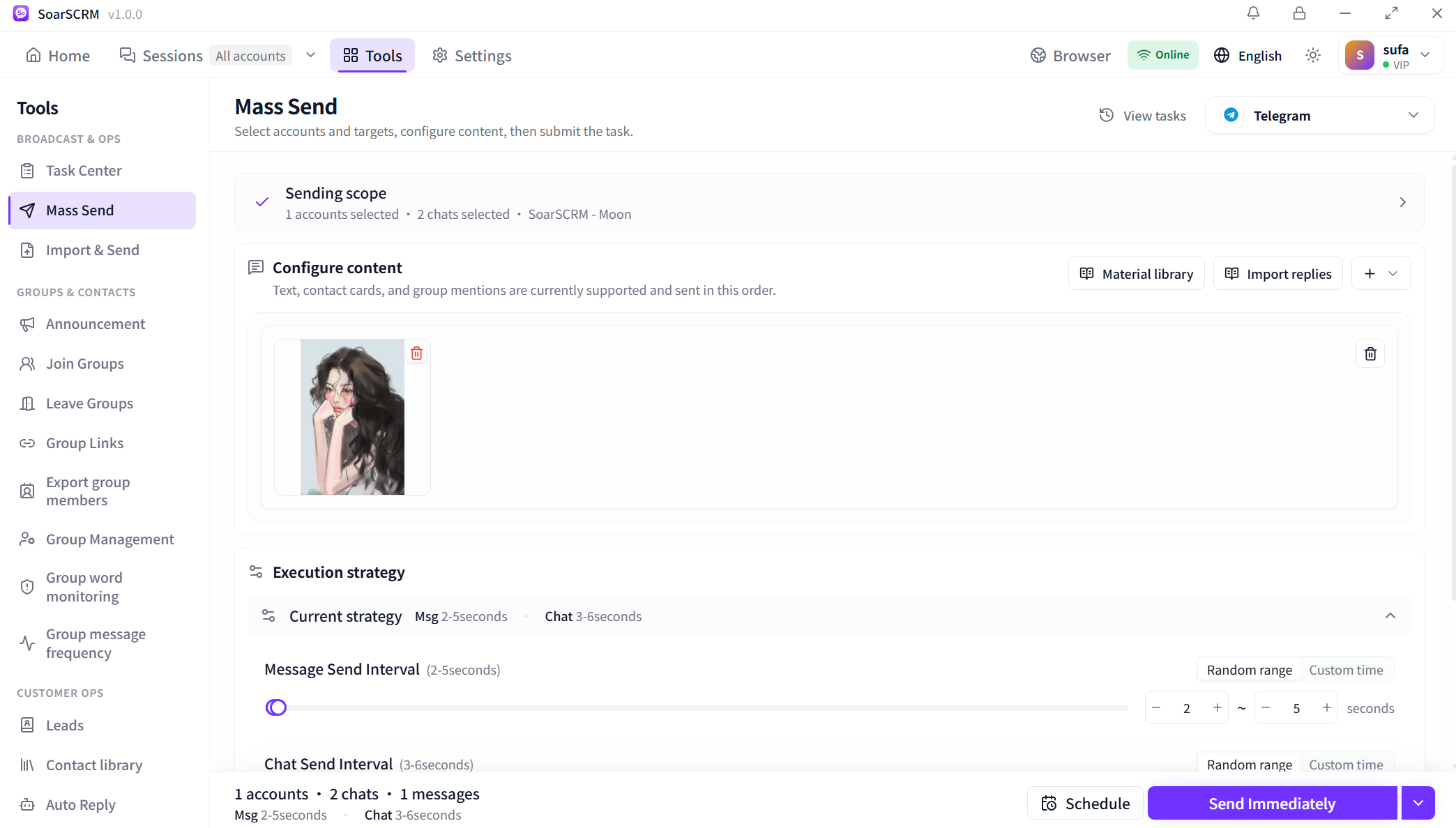
Open sending tools from a conversation
Open the tools menu beside a conversation to access Mass Send or Import & Send for the current platform. You can also use the main Tools page, keeping message preparation within your conversation workflow.
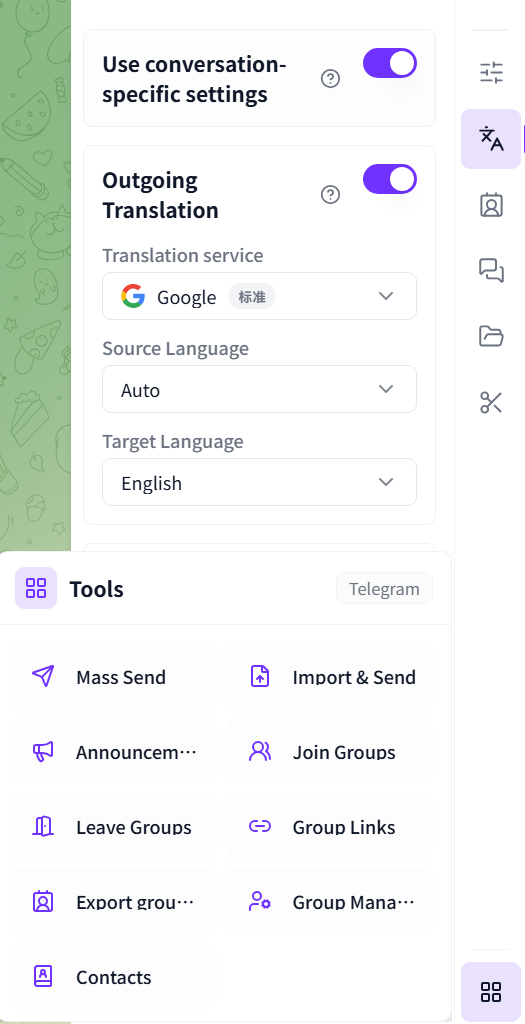
Open the tools menu beside a conversation to access Mass Send or Import & Send for the current platform. You can also use the main Tools page, keeping message preparation within your conversation workflow.
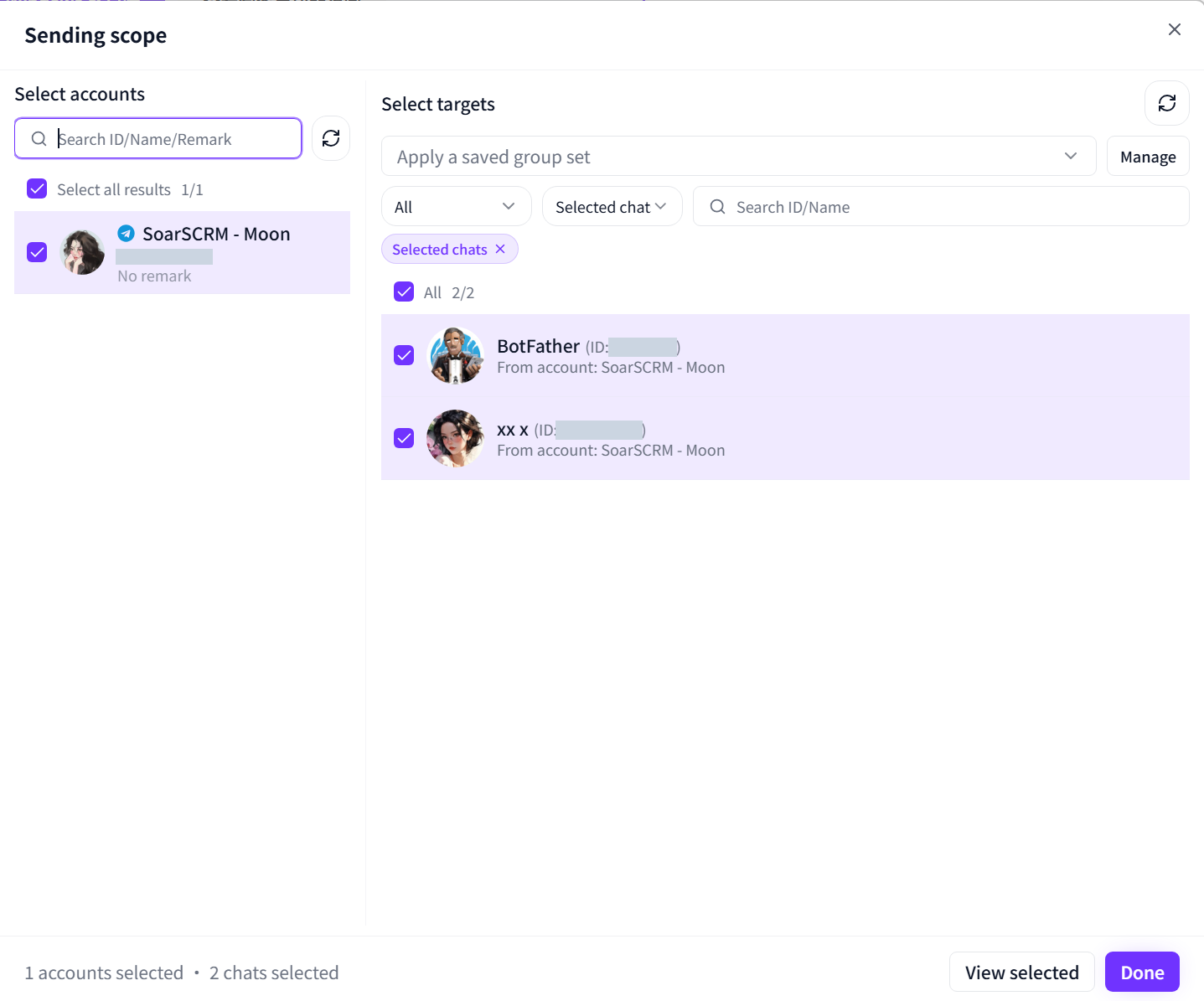
Select sender accounts and target chats separately, or apply a saved group set. Add content from the material library or import replies, set message and chat intervals, then send immediately or schedule the task.
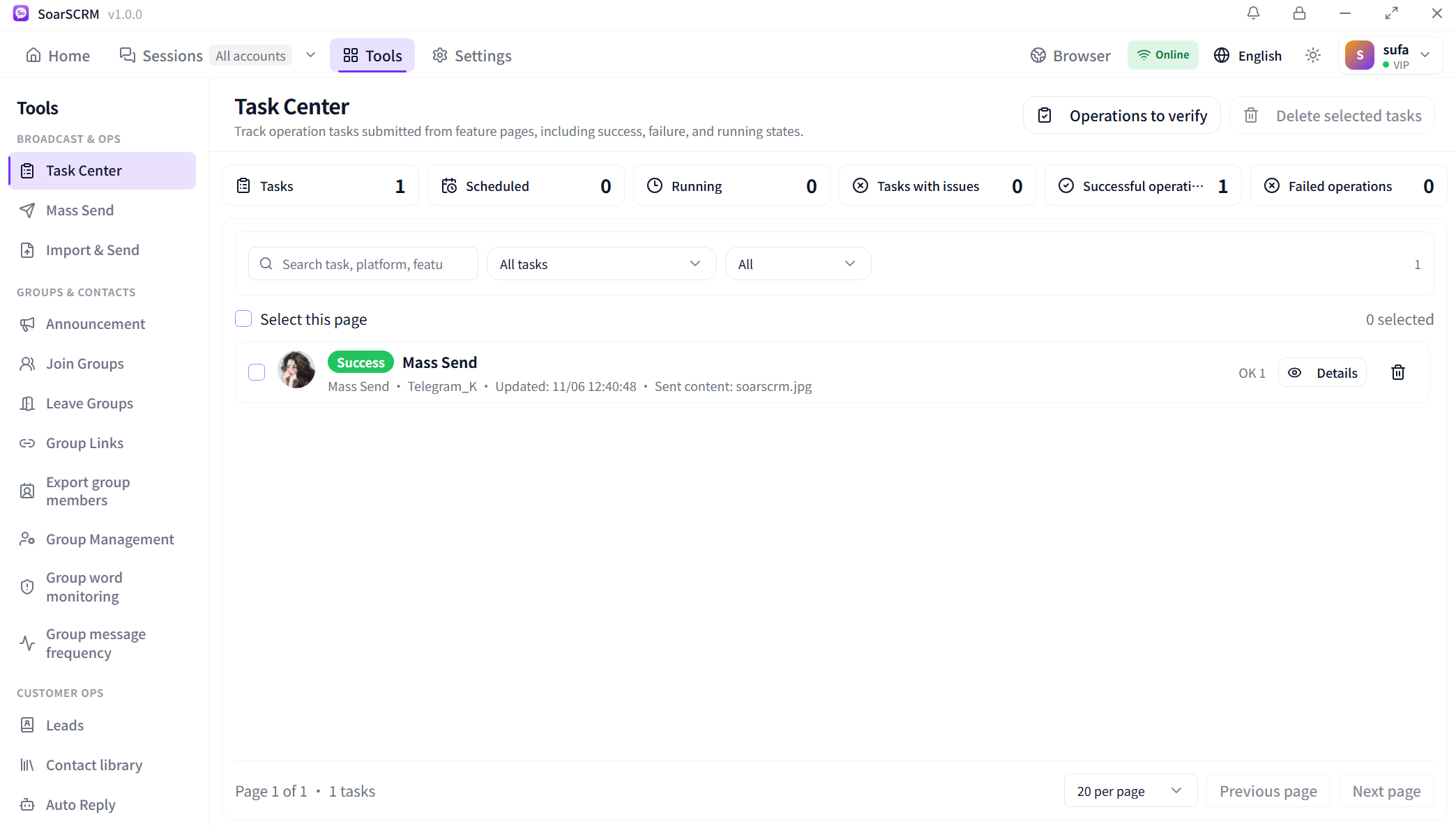
Check scheduled, running, successful and failed tasks, then search and open details to inspect results. The screenshot shows one successful record. Review individual records alongside totals; a successful send does not establish that a recipient has read it.
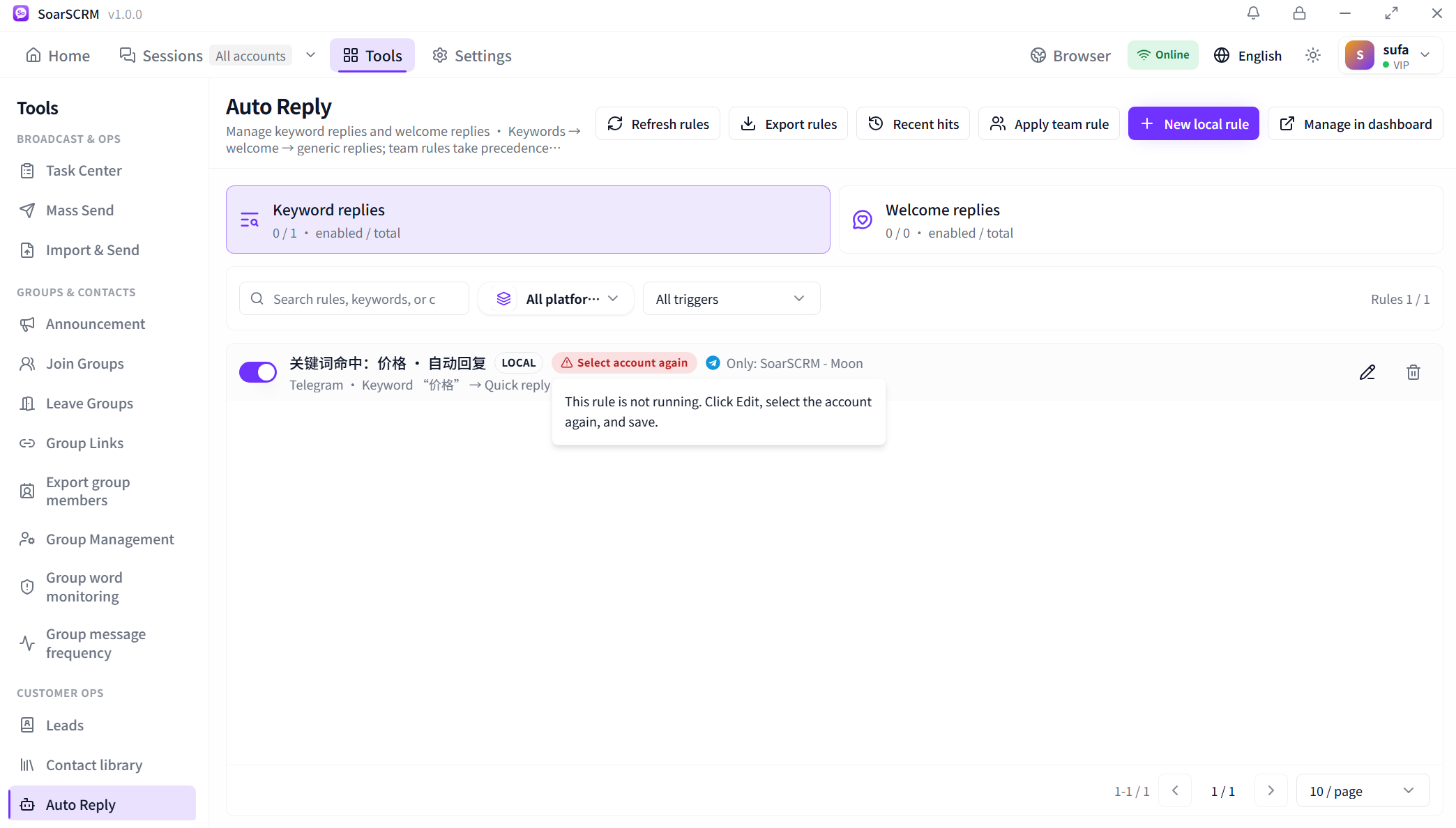
Manage keyword and welcome replies, apply team rules when needed and inspect Recent hits. The pictured rule requires account reselection and is not running. Click Edit, select the account again and save, then check its status and trigger records.
Broadcast tasks, automatic replies and group rules are configured separately. Platforms, actions and quotas depend on your plan and permissions. Scheduled sending requires a running client and available accounts; confirm automatic replies through rule status and actual trigger records.
Compare plans and features