Sub-account management detail: quotas, enabled status, persona sharing and device records.
01
Manage subaccounts and activation codes
Use Sub-accounts to review subaccount quotas and enabled status, and Codes to review allocated and available ports. Search by name, check device and social-account records, recent activity and usage, then open Details or Edit for the selected record.
Activation-code management detail: allocated port capacity, enabled status and device records. Code values are redacted.
02
Allocate ports and configure access
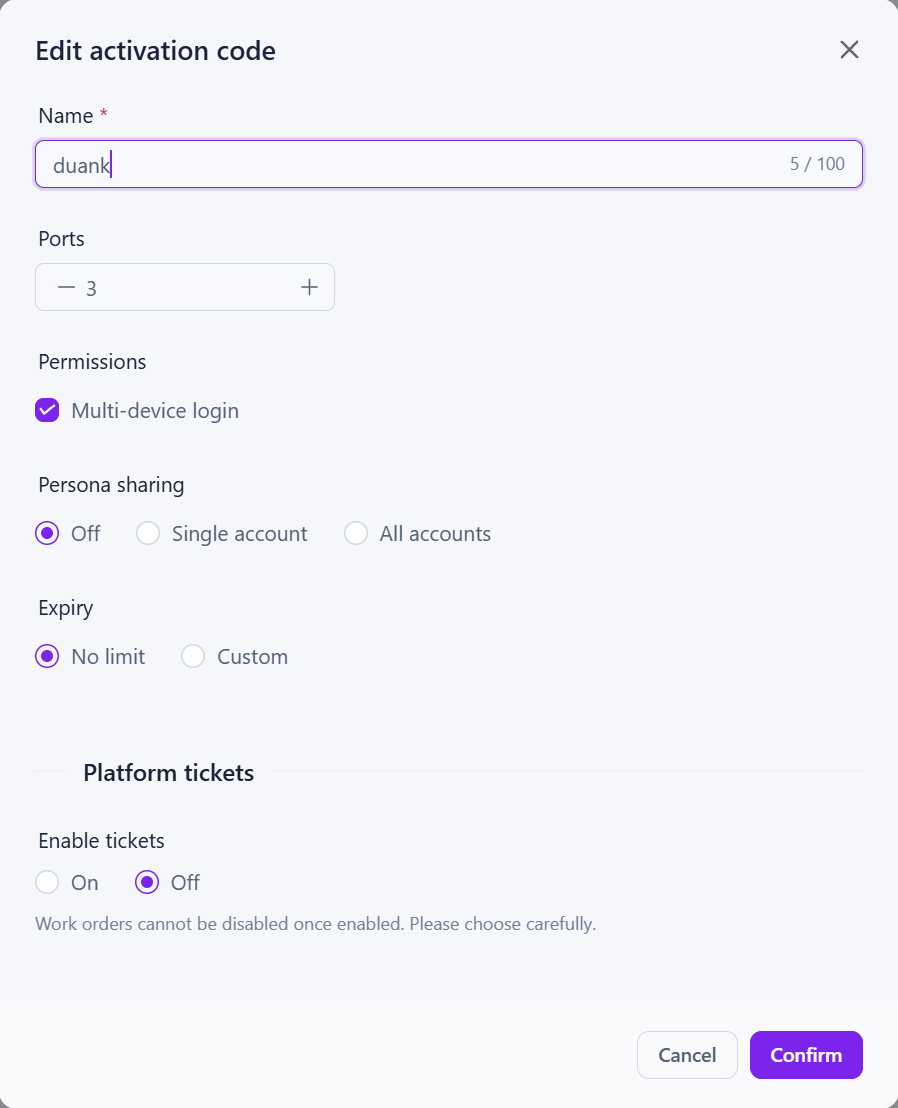
Edit an activation code to set its Ports allocation and enable Multi-device login when needed. Choose Off, Single account or All accounts for Persona sharing, set Expiry and confirm the changes to match access with the assigned work.
Activation-code settings: port allocation, multi-device login, persona-sharing scope and expiry.
03
Maintain shared materials and reply templates
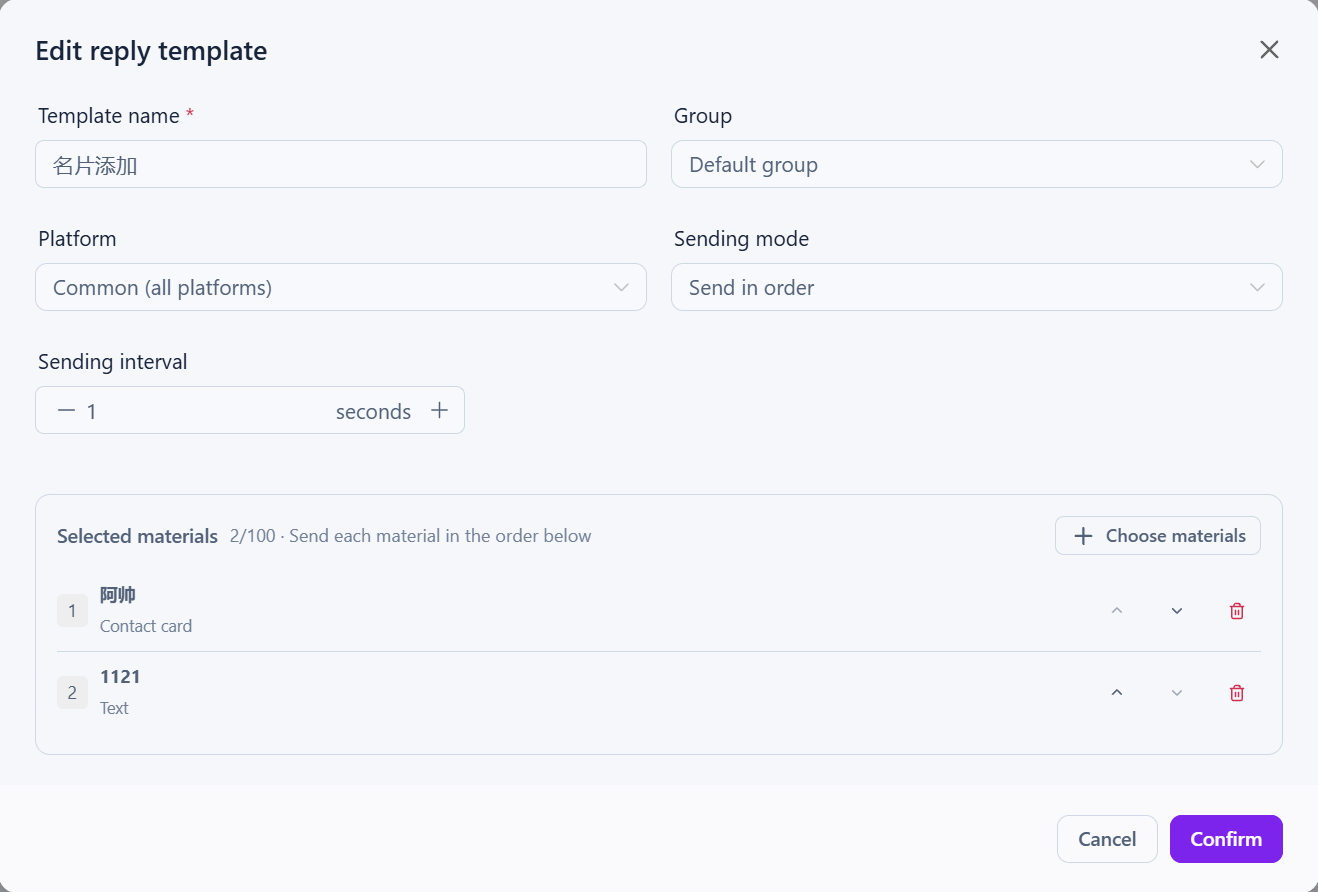
Set a shared template name, group and platform, then choose its materials, sending mode and interval and arrange their order. The screenshot shows a contact card followed by text. Members can access configured content through Team replies in the client, subject to permissions.
Shared reply-template editor: platform, materials and sending order. This example combines a contact card and text.
Getting started
Find the relevant record in Sub-accounts or Codes and check its quota and usage status.
Use Edit to configure ports, multi-device login, persona sharing and expiry, then confirm.
Configure shared template materials and sending order, then have members check content access and supported platforms in the client.
Availability and setup
Subaccounts, activation codes and shared content depend on the plan and account permissions. Portal subaccounts are managed separately from local Multi-User workspaces. Screenshot values reflect the account at capture time; current quotas follow its actual configuration.